Setup
Bixolon SLP-DX220 setup guide: labels, USB, Ethernet, driver
Load labels, let the printer detect them, install the EuroPlus or Seagull driver and connect by USB or Ethernet.
In this guide
The SLP-DX220 is Bixolon's compact 2-inch direct thermal label printer: 203 dpi, up to 54 mm print width and labels from 15 to 60 mm wide. This guide takes you from the box to the first label over USB or Ethernet.
You'll need
- The printer, the AC/DC adapter and the power cord
- A USB cable (USB A to B) for a direct connection, or an Ethernet patch cable for the network version
- Direct thermal labels, 15–60 mm wide, on a roll up to 130 mm in diameter
- A Windows PC with administrator rights to install the driver
Which version do you have
All SLP-DX220 printers share the same mechanism, buttons and lights. They differ in the interfaces on the back:
| Version | Interfaces |
|---|---|
| Standard | USB and serial (RS-232C) |
| Ethernet | USB, Ethernet and a USB host port (type A) |
| Bluetooth or Wi-Fi | USB with a wireless interface |
The SLP-DX220EG/BEG in our shop is the Ethernet version with USB. The product page lists all versions we carry. The SLP-DX220 prints only on direct thermal labels; it has no ribbon.
Place the printer and connect power
Put the printer on a flat, level surface away from humidity. Leave space around it, and keep the back and the bottom free so that air can circulate.
- Make sure the power switch is off.
- Check that the voltage on the adapter label matches your mains supply.
- Plug the adapter's DC connector into the power port on the printer.
- Connect the power cord to the adapter, then plug the cord into the wall socket.
Important
Use only the Bixolon adapter that came with the printer (24 V DC). Switch the printer off before you connect or disconnect the power or any interface cable.
Load the labels
- Open the paper cover with the cover lever.
- Spread the media holder apart and put the roll between the two sides.
- Pull the labels forward with the printable side facing up. This applies to rolls wound inwards and outwards.
- Slide the media guide against the edges of the labels so that they run straight.
- Close the paper cover until it clicks.
The gap sensor sits in the media guide, and a separate sensor reads black marks and notches. You don't need to set either of them by hand: the printer detects the media itself (see the next step).
Tip
After you close the cover, both lights blink green. Bixolon calls this Cover Close Mode: the printer waits so that it doesn't print on a badly positioned label. Press Feed to feed one label and align the media, or Pause to go back to standby without feeding.
Let the printer detect your labels
On the first start, the SLP-DX220 runs Smart Media Detection. It recognises gap and black-mark labels without any settings and needs 3 to 5 labels to do it.
- Switch the printer on. Both lights turn green when it is in standby.
- Press Feed. The printer feeds a few labels while it measures them, then stops.
- Press Feed again. One label should come out and the printer should stop at the next gap.
Smart Media Detection also starts by itself when the printer notices a different label length, and after a factory reset. If labels still stop in the wrong place, run gap or black-mark calibration as described in SLP-DX220 calibration.
Print a self-test
The self-test shows the firmware version, the configuration and a print quality pattern. It is a quick way to check the printer before you connect a PC.
- Check that the labels are loaded correctly.
- Switch the printer off.
- Press and hold Feed and switch the printer on.
- Release Feed when the self-test starts printing.
The self-test isn't available when the optional peeler is installed.
Connect the printer to your PC
Switch the printer off before you plug in any cable.
- USB: connect the USB B port on the back of the printer to your PC. Bixolon recommends a cable no longer than 1.8 m.
- Ethernet: connect the ETHERNET port to your network switch with a UTP cable, CAT5 or better.
- Serial (standard version): connect the cable to the SERIAL port and tighten the screws on both sides. The serial cable is an option.
Install the Windows driver
Download the driver from the SLP-DX220 download page on bixolon.com. Bixolon offers two Windows drivers: the EuroPlus Windows Driver and the Seagull Windows Driver. Both support Windows 10 (32- and 64-bit), Windows 11 (64-bit) and Windows Server 2019 and 2022; ARM processors are not supported. Install one of them.
- Run the installer and follow its steps. Select the SLP-DX220 when it asks for the model.
- For USB, choose the USB port the printer is connected to.
- For Ethernet, add a Standard TCP/IP Port with the printer's IP address (see the next step).
- Open the printer properties and click Print Test Page.
The same page has CUPS drivers for macOS and Linux, and Bixolon's label software Label Artist-II for Windows.
Set up the network (Ethernet version)
By default, the Ethernet interface gets its IP address from your network (DHCP) and prints on TCP port 9100. To see or change the address, use Windows BIXOLON Utility from the download page:
- Install and start BIXOLON Utility, then click Search.
- Double-click the printer, or select it and click Settings.
- Check or set IP Address Assignment Method, IP Address, Subnet Mask, Gateway and Port Number, then click Save.
A fixed IP address is best for a shared printer, so the Windows port never points to an old address. You can also open the printer's web page: type its IP address into a browser and sign in with the user name and password from Bixolon's network connection manual. Change the default password after the first sign-in.
To connect the Windows driver over the network: open the printer properties, go to Ports › Add Port › Standard TCP/IP Port, enter the IP address and finish the wizard. Then open Configure Port, check that Raw uses port 9100, and print a test page.
Note
Bixolon's Wi-Fi models for the EU (SLP-DX220W) use HTTPS for the web page and open a password change page when you sign in with the default credentials. Bixolon made this change for units sold in Europe to comply with the EU Radio Equipment Directive. It doesn't apply to the Ethernet version. The details are in the Wi-Fi Connection Manual (EU, RED) on the download page.
Set the label size and print your first label
Enter the exact width and height of your labels in the driver's printing preferences and in your label software. Then print a test label from your software. If the print shifts from label to label or a blank label comes out between prints, check the size first, then calibrate.
When something doesn't work, the two lights tell you why. See SLP-DX220 troubleshooting for the full light table and fixes, and the SLP-DX220 guides for everything about this model.
Frequently asked questions
Is the Bixolon SLP-DX220 a 2-inch or a 4-inch printer?
It is a 2-inch printer. It prints up to 54 mm wide and takes labels from 15 to 60 mm wide.
Does the SLP-DX220 need a ribbon?
No. It is a direct thermal printer and prints only on heat-sensitive labels. For printing with a ribbon you need a thermal transfer printer.
Which Windows driver should I use for the SLP-DX220?
Use the EuroPlus or the Seagull Windows Driver from the Bixolon download page. Both support Windows 10 and 11; one of them is enough.
What is the default IP address of the SLP-DX220?
The Ethernet version has no fixed default address. Its Ethernet interface uses DHCP, so find the address in BIXOLON Utility or in your router.
Why do both lights blink green after I close the cover?
The printer is in Cover Close Mode. Press Feed to align the labels, or Pause to return to standby.
Was this guide helpful?
Used in this guide
Compatible consumables and accessories for the SLP DX220.
Compatible labels
| Product | Size (W × H) | Material | Labels / roll | Core | Price | ||
|---|---|---|---|---|---|---|---|
 |
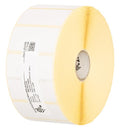
Zebra Z-Select 2000D800262-125 | 57.15 × 31.75 mm | Thermal Paper | 2100 | 25.4 mm | 349,00 Kč+VATIn stock | |
 |
Zebra Z-Select 2000D880199-025D | 51 × 25 mm | Thermal Paper | 2580 | 25.4 mm | 349,00 Kč+VATIn stock | |
 |
Zebra Z-Perform 1000D880595-025DU | 38.1 × 25.4 mm | Thermal Paper | 2580 | 25.4 mm | 292,00 Kč+VATIn stock | |
 |
Zebra Z-Select 2000D800261-105 | 31.75 × 25.4 mm | Thermal Paper | 2580 | 25.4 mm | 230,00 Kč+VATIn stock | |
 |
Zebra Z-Select 2000D800262-205 | 57 × 51 mm | Thermal Paper | 1370 | 25.4 mm | 349,00 Kč+VATIn stock | |
 |
Zebra Z-Perform 1000D880175-031D | 50.8 × 31.75 mm | Thermal Paper | 2100 | 25.4 mm | 326,00 Kč+VATIn stock | |
 |
Zebra Z-Select 2000D800261-107 | 38 × 25 mm | Thermal Paper | 2580 | 25.4 mm | 322,00 Kč+VATIn stock | |
 |
Zebra Z-Select 2000D3007208-T | 31 × 22 mm | Thermal Paper | 2780 | 25.4 mm | 230,00 Kč+VATIn stock | |
 |
Zebra Z-Select 2000D800262-405 | 57.15 × 101.6 mm | Thermal Paper | 700 | 25.4 mm | 349,00 Kč+VATIn stock | |
 |
Zebra Z-Select 2000D3007207 | 25.4 × 76.2 mm | Thermal Paper | 930 | 25.4 mm | 215,00 Kč+VATIn stock | |
 |
Zebra Z-Select 2000D3007209-T | 57 × 76 mm | Thermal Paper | 930 | 25.4 mm | 349,00 Kč+VATIn stock | |
 |
Zebra Z-Select 2000D800262-075 | 57.15 × 19.05 mm | Thermal Paper | 3315 | 25.4 mm | 349,00 Kč+VATIn stock | |
 |
Zebra Z-Select 2000D Removable800262-127 | 57.15 × 31.75 mm | Thermal Paper | 2100 | 25.4 mm | 391,00 Kč+VATIn stock | |
 |
Zebra Z-Select 2000D 190 Tag800999-005 | 32 × 57 mm | Thermal Paper | 600 | 25.4 mm | 226,00 Kč+VATOut of stock | View |
 |
Zebra Z-Select 2000D 190 Tag800999-009 | 57 × 34.93 mm | Thermal Paper | 967 | 25.4 mm | 297,00 Kč+VATIn stock | |
 |
Zebra Z-Perform 1000D3007189-T | 38.1 × 12.7 mm | Thermal Paper | 5050 | 25.4 mm | 485,00 Kč+VATOut of stock | View |
 |
Zebra Z-Perform 1000D3008727-T | 50.8 × 38.1 mm | Thermal Paper | 1730 | 25.4 mm | 392,00 Kč+VATOut of stock | View |
 |
Zebra Z-Perform 1000D880169-012D | 31.75 × 12.7 mm | Thermal Paper | 4650 | 25.4 mm | 346,00 Kč+VATOut of stock | View |
 |
Zebra Z-Perform 1000D880171-019D | 38.1 × 19.05 mm | Thermal Paper | 3300 | 25.4 mm | 406,00 Kč+VATOut of stock | View |
 |
Zebra Z-Perform 1000D3007899-T | 57.15 × 38.1 mm | Thermal Paper | 1720 | 25.4 mm | 442,00 Kč+VATOut of stock | View |
 |
Zebra Z-Perform 1000D3012789-T | 29 × 33 mm | Thermal Paper | 2000 | 25.4 mm | 315,00 Kč+VATOut of stock | View |
 |
Zebra Z-Perform 1000D880599-101DU | 50.8 × 101.6 mm | Thermal Paper | 700 | 25.4 mm | 403,00 Kč+VATOut of stock | View |
 |
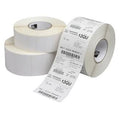
Zebra Z-Perform 1000D880171-031D | 38.1 × 31.75 mm | Thermal Paper | 2100 | 25.4 mm | 406,00 Kč+VATOut of stock | View |
 |
Zebra Z-Perform 1000D3011250-T | 57.15 × 31.75 mm | Thermal Paper | 2060 | 25.4 mm | 448,00 Kč+VATOut of stock | View |
 |
Zebra Z-Perform 1000D880175-012D | 50.8 × 12.7 mm | Thermal Paper | 4650 | 25.4 mm | 408,00 Kč+VATOut of stock | View |
 |
Zebra Z-Perform 1000D880169-076D | 31.75 × 76.2 mm | Thermal Paper | 930 | 25.4 mm | 394,00 Kč+VATOut of stock | View |
 |
Zebra Z-Perform 1000D3012558-T | 40 × 40 mm | Thermal Paper | 1675 | 25.4 mm | 432,00 Kč+VATOut of stock | View |
 |
Zebra Z-Perform 1000D Removable3012759-T | 40 × 40 mm | Thermal Paper | 1710 | 25.4 mm | 470,00 Kč+VATOut of stock | View |
 |
Zebra Z-Perform 1000D880173-012D | 44.45 × 12.7 mm | Thermal Paper | 4650 | 25.4 mm | 471,00 Kč+VATOut of stock | View |
 |
Zebra Z-Perform 1000D880173-019D | 44.45 × 19.05 mm | Thermal Paper | 3300 | 25.4 mm | 469,00 Kč+VATOut of stock | View |
 |
Thermal labels 32x20 / 2000 pcsKK001176 | 32 × 20 mm | Thermal Paper | 2000 | 25 mm | 93,00 Kč+VATIn stock | |
 |
Paper direct thermal labels 40x40 / 1000 pcsKK000193 | 40 × 40 mm | Thermal Paper | 1000 | 40 mm | 81,00 Kč+VATIn stock | |
 |
Thermal labels 50x30 / 1000 pcsKK000538 | 50 × 30 mm | Thermal Paper | 1000 | 40 mm | 93,00 Kč+VATIn stock | |
 |
Thermal labels 40x25 / 2000 pcsKK000488 | 40 × 25 mm | Thermal Paper | 2000 | 40 mm | 231,00 Kč+VATIn stock | |
 |
Thermal labels 30x10 / 2000 pcsKK000148 | 30 × 10 mm | Thermal Paper (Eco) | 2000 | 40 mm | 104,00 Kč+VATIn stock | |
 |
Thermal labels 32x20 / 180 pcsKK000798 | 32 × 20 mm | Thermal Paper (Eco) | 180 | 25 mm | 18,00 Kč+VATIn stock | |
 |
Paper thermal labels 32x20 / 2500 pcsKK001177 | 32 × 20 mm | Thermal Paper (Eco) | 2500 | 25 mm | 150,00 Kč+VATIn stock | |
 |
Paper thermal labels 32x20 / 2000 pcsKK000147 | 32 × 20 mm | Thermal Paper (Eco) | 2000 | 40 mm | 93,00 Kč+VATIn stock | |
 |
Paper thermal labels 32x25 / 2000 pcsKK010227 | 32 × 25 mm | Thermal Paper (Eco) | 2000 | 25 mm | 72,00 Kč+VATIn stock | |
 |
Paper thermal labels 40x30 / 1000 pcsKK001465 | 40 × 30 mm | Thermal Paper (Eco) | 1000 | 40 mm | 81,00 Kč+VATIn stock | |
 |
Thermal labels 50x25 / 1000 pcsKK000770 | 50 × 25 mm | Thermal Paper (Eco) | 1000 | 40 mm | 116,00 Kč+VATIn stock | |
 |
Paper thermal labels 55x80 / 500 pcsKK015950 | 55 × 80 mm | Thermal Paper (Top) | 500 | 40 mm | 146,00 Kč+VATIn stock | |
 |
Thermal labels 60x30 / 1000 pcsETEBA-0600/0300-2100 | 60 × 30 mm | Thermal Paper (Eco) | 1000 | 40 mm | 110,00 Kč+VATIn stock | |
 |
Thermal labels 60x40 / 1000 pcsKK010395 | 60 × 40 mm | Thermal Paper (Eco) | 1000 | 40 mm | 162,00 Kč+VATIn stock | |
 |
Thermal labels 60x30 / 1000 pcsKK01726 | 60 × 30 mm | Thermal Paper | 1000 | 40 mm | 369,00 Kč+VATIn stock | |
 |
Thermal labels 60x30 / 1000 pcsKK01727 | 60 × 30 mm | Thermal Paper | 1000 | 40 mm | 369,00 Kč+VATIn stock | |
 |
Thermal labels 60x30 / 1000 pcsKK01728 | 60 × 30 mm | Thermal Paper | 1000 | 40 mm | 415,00 Kč+VATIn stock | |
 |
Paper thermal labels 40x25 / 2000 pcsKK069827 | 40 × 25 mm | Thermal Paper (Eco) | 2000 | 40 mm | 116,00 Kč+VATIn stock | |
 |
Thermal labels 30x20 / 2000 pcsKK069868 | 30 × 20 mm | Thermal Paper (Eco) | 2000 | 40 mm | 93,00 Kč+VATIn stock | |
 |
Thermal labels 60x30 / 1000 pcsKK070192 | 60 × 30 mm | Thermal Paper | 1000 | 40 mm | 127,00 Kč+VATIn stock | |
 |
Thermal labels 50x30 / 1000 pcsKK001260 | 50 × 30 mm | Thermal Paper | 1000 | 40 mm | 93,00 Kč+VATIn stock | |
 |
Thermal cardboard Tags 50x37 / 1000 pcsKK000318 | 50 × 37 mm | Thermal Cardboard | 1000 | 40 mm | 231,00 Kč+VATIn stock | |
 |
Thermal labels 50x30 / 1000 pcsKK001109 | 50 × 30 mm | Thermal Paper | 1000 | 40 mm | 93,00 Kč+VATIn stock |
No matching products.
More SLP DX220 guides
Related guides
Still stuck?
Contact support
Send us your model and a short description of the problem. Our team will help you find a solution.
