Comparison
Zebra ZT231 vs ZT411: which 4-inch industrial printer?
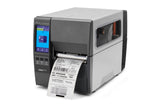
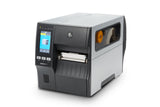
Same 104 mm print width and touch display. The ZT231 is the compact entry model; the ZT411 adds 600 dpi, more speed, rewind and linerless options.
In this guide
Both are 4-inch industrial printers with the same 104 mm print width and a 4.3 in. colour touch display. The ZT231 is Zebra's compact, lighter entry model for light industrial work. The ZT411 belongs to the ZT400 Series, built for high throughput in demanding environments, with 600 dpi, higher speed and more options. Choose the ZT231 for standard shipping, product and warehouse labels; choose the ZT411 for heavy daily volumes, very fine print, label rewinding or linerless labels.
| Specification | ZT231 | ZT411 |
|---|---|---|
| Series | ZT200 Series, light industrial | ZT400 Series, high throughput, demanding environments |
| Resolution | 203 dpi; 300 dpi optional | 203 dpi; 300 or 600 dpi optional |
| Max print speed | 305 mm/s (12 ips) at 203 dpi; 203 mm/s (8 ips) at 300 dpi | 356 mm/s (14 ips) at 203 dpi; 254 mm/s (10 ips) at 300 dpi; 102 mm/s (4 ips) at 600 dpi |
| Max print width | 104 mm (4.09 in.) | Same |
| Media width | 19.4–114 mm | 25.4–114 mm (tear-off, cutter); 25.4–108 mm (peel, rewind) |
| Min label length, tear-off | 17.8 mm | 12.7 mm |
| Media thickness | 0.076–0.25 mm | 0.058–0.25 mm |
| Media roll | Up to 203 mm OD on a 76 mm core, or 152 mm on a 25 mm core | Up to 203 mm OD on a 76 mm core; 25 mm core hanger optional |
| Ribbon width | 40–110 mm | 51–110 mm |
| Ribbon length and core | Up to 450 m on a 25.4 mm core, coated side out | Same |
| Display | 4.3 in. colour touch display | Same |
| Construction | Metal frame, bi-fold media door with clear window | Metal frame, bi-fold metal media cover with clear window |
| Memory | 256 MB RAM, 256 MB flash | 256 MB RAM, 512 MB flash |
| Standard interfaces | USB 2.0, RS-232 serial, 10/100 Ethernet, USB host, Bluetooth Low Energy | USB 2.0, RS-232 serial, 10/100 Ethernet, Bluetooth, dual USB host |
| Optional interfaces | One of: 802.11ac Wi-Fi card, second Ethernet card, applicator interface | Two slots for: Wi-Fi 6 (802.11ax) with Bluetooth 5.3 or 802.11ac with Bluetooth 4.2, parallel, second Ethernet, applicator interface |
| Media handling options | Peel, peel with liner take-up (factory-fitted), cutter | Peel, liner take-up, cutter, full label rewind (factory-fitted), linerless |
| RFID | UHF RFID kit, field-installable | UHF RFID option, including an on-metal tag version |
| Size, base model (L × W × H) | 432 × 241 × 279 mm | 495 × 269 × 324 mm |
| Weight, base model | 9.1 kg | 16.33 kg |
| Operating temperature | 5–40 °C thermal transfer; 0–40 °C direct thermal | Same |
Figures from Zebra's spec sheets and user guides.
Choose the ZT231 if
- You print shipping, product or warehouse labels in moderate volumes
- 203 or 300 dpi is enough for your text and barcodes
- Space is tight: it is smaller and weighs about 7 kg less
- You use narrow labels from 19.4 mm wide
- Wired Ethernet or a single 802.11ac Wi-Fi card covers your network
Choose the ZT411 if
- The printer runs long shifts at high volumes in a demanding environment
- You need 600 dpi for very small text or codes
- You want the top speed of 356 mm/s at 203 dpi
- You need to rewind printed labels inside the printer, or print linerless labels
- You want Wi-Fi 6, a parallel port or two USB host ports
What both printers share
Setup works the same way on both: you load supplies from the side, run the Print wizard on the touch display and calibrate from Print › Sensors › Manual Calibration. Both take label rolls up to 203 mm on a 76 mm core and outside-coated ribbon up to 450 m. Both print in thermal transfer and direct thermal, speak ZPL and EPL (EPL at 203 dpi only), and use Zebra's ZDesigner Windows driver. Both also fall under Zebra's EU security setup: with Ethernet and Bluetooth as standard, units placed on the EU market from 1 August 2025 use a new setup process with a Protected Mode password and a front-panel PIN.
Differences in daily use
On the ZT231, the ribbon winds onto an empty core on the take-up spindle, and you can reuse the empty supply core at every ribbon change. The ZT411 wraps used ribbon directly onto its take-up spindle. The ZT231's compact footprint suits tight spaces, while the heavier ZT411 is built for demanding production and warehouse environments.
Video: Zebra Technologies
Compare the models in our shop: ZT231 203 dpi and ZT411 203 dpi. Setup help: ZT231 setup guide and ZT411 setup guide.
Frequently asked questions
Is the Zebra ZT231 an industrial printer?
Yes. It belongs to Zebra's ZT200 Series of industrial printers, has a metal frame and is aimed at light industrial use. The ZT411 is built for higher throughput in demanding environments.
Is the ZT231 available in 600 dpi?
No. The ZT231 comes in 203 dpi, with 300 dpi as an option. Only the ZT411 offers 600 dpi.
Do the ZT231 and ZT411 use the same ribbons?
They use the same type: coated on the outside, up to 450 m on a 25.4 mm core. The ZT231 takes widths from 40 mm, the ZT411 from 51 mm, both up to 110 mm.
Which one is faster?
The ZT411: 356 mm/s at 203 dpi and 254 mm/s at 300 dpi, against 305 mm/s and 203 mm/s on the ZT231.
Was this guide helpful?
More ZT231 guides
Still stuck?
Contact support
Send us your model and a short description of the problem. Our team will help you find a solution.