Troubleshooting
Zebra ZD611 troubleshooting: lights, errors and fixes
What the five ZD611 status lights mean and how to fix media out, cover open, cut errors, calibration problems, faded or blank labels and jobs that don't print.
In this guide
The ZD611d reports problems with five status lights. Find your lights or symptom below. More help: ZD611 setup guide and all ZD611 guides.
What the lights mean
| Light | Pattern | Meaning |
|---|---|---|
| STATUS | Steady green | Ready to print |
| STATUS | Green, slowly on and off | Sleep (low-power) mode |
| STATUS | Steady red | Media out or not detected, cover open, cut error, or printhead not recognised |
| STATUS | Steady amber | Printhead too hot, printhead element fault, out of memory, or a power fault on the USB host or serial port |
| STATUS | Flashing amber | Printhead too cold |
| STATUS + PAUSE | Both flashing red | Printhead overheated |
| PAUSE | Steady amber | Paused |
| DATA | Flashing amber | Out of memory |
| SUPPLIES | Steady red | Media out |
| NETWORK | Steady red | Ethernet or Wi-Fi fault |
Find your symptom
| What you see | Likely cause | Fix |
|---|---|---|
| STATUS + SUPPLIES steady | No labels detected | Fix 1 → |
| STATUS + PAUSE steady | Cover open or not latched | Fix 2 → |
| STATUS steady, all other lights off | Cutter blade stuck (cutter models) | Fix 3 → |
| STATUS steady or flashing, or STATUS and PAUSE flashing red | Printhead too hot or too cold | Fix 4 → |
| STATUS + DATA flashing | Printer memory full | Fix 5 → |
| Labels skip, print runs across the gap, or media out with labels loaded | Sensor position or calibration | Fix 6 → |
| Print is pale, patchy or has white lines | Darkness, speed, dirty printhead | Fix 7 → |
| Labels feed but stay blank | Wrong label type or loaded upside down | Fix 8 → |
| Nothing prints from the PC, PAUSE on, or NETWORK red | Paused, driver or connection | Fix 9 → |
Fixes
1. Media outSTATUS and SUPPLIES steady red
CauseThe roll is empty, a label is missing on the liner, or the sensor can't see the labels.
Fix
- Roll empty? Load a new one with the printer still on, so the job isn't lost.
- Missing label? Open the cover and pull the labels forward until the next label sits over the platen roller.
- Check that the labels run under both media guides and that the roll turns freely.
- Close the cover and press FEED once.
- Still red with labels loaded? Go to Fix 6.
2. Cover openSTATUS red, PAUSE amber
CauseThe cover is not fully latched, or its switch is faulty.
Fix
- Press down on the front of the cover until it snaps shut on both sides.
- Still on with the cover closed? The printer needs service. Contact us.
3. Cut errorSTATUS steady red on its own
CauseThe cutter blade is bound and can't move properly, usually because of adhesive and paper particles.
Fix
- Make sure the cover is latched (Fix 2).
- Hold POWER for 5 seconds and wait until the printer has shut down completely.
- Switch it on again.
- Error returns? Contact us; the cutter has no user-serviceable parts.
Important
Never remove the cutter cover or put fingers or objects into it. Zebra warns that cotton swabs and solvents, including alcohol, can damage the cutter or cause jams.
4. Printhead too hot or too coldSTATUS amber or flashing
CauseToo hot: a long run of dense labels, a hot room or direct sunlight. Too cold: the room is below the printer's minimum operating temperature.
Fix
- STATUS steady amber: wait; printing resumes once the printhead has cooled.
- STATUS and PAUSE flashing red: switch off, let the printer cool for several minutes and switch on again.
- Too cold: switch off, move the printer somewhere warmer and let it warm up slowly to avoid condensation. Alert stays? Contact us.
5. Out of memorySTATUS amber, DATA flashing amber
CauseNo room is left to store a label format, graphic or font.
Fix
- Make the label format or its print area smaller, or delete stored graphics, fonts and formats you no longer use.
6. Labels skip or calibration failsSkipped labels, print across the gap, false media out
CauseWrong sensor position, or the printer was calibrated for different labels.
Fix
- Check the sensor: centre (default) for gap labels and continuous paper; on the middle of the black mark or notch otherwise.
- Run SmartCal: with STATUS steady green, hold PAUSE + CANCEL for 2 seconds. The printer feeds a few labels and returns to steady green.
- Still skipping? Calibrate manually:
- Hold PAUSE for 2 seconds. All lights flash amber, then STATUS stays amber: this is manual media calibration mode.
- Press PAUSE. SUPPLIES flashes, then PAUSE flashes.
- Open the cover. Peel the labels off the first 80 mm of liner and lay the bare liner over the platen roller, with the front edge of the first label under the media guides. Close the cover and press PAUSE.
- SUPPLIES flashes while the printer measures the liner. When PAUSE flashes, open the cover, pull the labels forward until a label sits directly over the sensor, and close it.
- Press PAUSE. The printer feeds several labels and returns to steady green when it has measured them.
- If it doesn't finish, move the sensor slightly and repeat. With pre-printed labels, place the sensor where there is least printing.
Video: Zebra Technologies (shown on a ZD411)
7. Faded or patchy printPale, uneven print or white lines
CauseWrong darkness or speed, a dirty or worn printhead or platen roller, or the wrong power supply.
Fix
- Raise the darkness or lower the speed in the driver's printing preferences or your label software. Don't go above the maximum speed your labels are rated for.
- Clean the printhead as described in Zebra's printhead cleaning instructions, and check the platen roller for dirt or damage.
- Use only the power supply that came with the printer.
- White lines after cleaning mean a worn printhead or platen. Contact us.
8. Labels come out blankNo alert, labels feed without print
CauseLabels that need a ribbon, or labels loaded upside down.
Fix
- Scratch the label quickly with a fingernail. No black mark: the labels are not direct thermal; replace them.
- Check that the print side faces up towards the printhead.
9. Nothing prints from the PCJob sent, printer does nothing
CauseThe printer is paused, the ZDesigner driver is missing, or the network is down.
Fix
- PAUSE amber: press PAUSE to continue. To delete jobs first, press CANCEL while paused (next job) or hold it for 2 seconds (all jobs).
- Printer shown as an unknown or "Unspecified device" in Windows: it was connected before the driver was installed. Follow our ZDesigner driver guide.
- Hold FEED + CANCEL for 2 seconds. If the configuration report prints, the problem is on the PC or network side.
- NETWORK red: check the Ethernet cable at both ends, then read the IP address on the report and compare it with the printer port in Windows.
Note
Printers with Zebra's EU Protected Mode need its password to change protected network settings (see our ZD611 setup guide).
Frequently asked questions
What does a red light on the Zebra ZD611 mean?
STATUS and SUPPLIES both red: media out. STATUS red with PAUSE amber: cover not latched. STATUS red on its own: a cut error on cutter models.
How do I calibrate the ZD611?
With STATUS steady green, hold PAUSE and CANCEL for 2 seconds to run SmartCal. If labels still skip, calibrate manually (Fix 6).
How do I reset the ZD611 to factory settings?
Switch the printer off, hold PAUSE and FEED while you switch it on, and release when STATUS is the only light on. This resets the printer settings but not the network settings; calibrate again afterwards.
Was this guide helpful?
Used in this guide
Compatible consumables and accessories for the ZD611.
Compatible labels
| Product | Size (W × H) | Material | Labels / roll | Core | Price | ||
|---|---|---|---|---|---|---|---|
 |
Zebra Z-Select 2000D800262-125 | 57.15 × 31.75 mm | Thermal Paper | 2100 | 25.4 mm | 349,00 Kč+VATIn stock | |
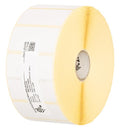 |
Zebra Z-Select 2000D880199-025D | 51 × 25 mm | Thermal Paper | 2580 | 25.4 mm | 349,00 Kč+VATIn stock | |
 |
Zebra Z-Select 2000D800262-205 | 57 × 51 mm | Thermal Paper | 1370 | 25.4 mm | 349,00 Kč+VATIn stock | |
 |
Zebra Z-Perform 1000D880595-025DU | 38.1 × 25.4 mm | Thermal Paper | 2580 | 25.4 mm | 292,00 Kč+VATIn stock | |
 |
Zebra Z-Perform 1000D880175-031D | 50.8 × 31.75 mm | Thermal Paper | 2100 | 25.4 mm | 326,00 Kč+VATIn stock | |
 |
Zebra Z-Select 2000D800261-105 | 31.75 × 25.4 mm | Thermal Paper | 2580 | 25.4 mm | 230,00 Kč+VATIn stock | |
 |
Zebra Z-Select 2000D800262-405 | 57.15 × 101.6 mm | Thermal Paper | 700 | 25.4 mm | 349,00 Kč+VATIn stock | |
 |
Zebra Z-Select 2000D800261-107 | 38 × 25 mm | Thermal Paper | 2580 | 25.4 mm | 322,00 Kč+VATIn stock | |
 |
Zebra Z-Select 2000D3007209-T | 57 × 76 mm | Thermal Paper | 930 | 25.4 mm | 349,00 Kč+VATIn stock | |
 |
Zebra Z-Select 2000D800262-075 | 57.15 × 19.05 mm | Thermal Paper | 3315 | 25.4 mm | 349,00 Kč+VATIn stock | |
 |
Zebra Z-Select 2000D3007208-T | 31 × 22 mm | Thermal Paper | 2780 | 25.4 mm | 230,00 Kč+VATIn stock | |
 |
Zebra Z-Select 2000D3007207 | 25.4 × 76.2 mm | Thermal Paper | 930 | 25.4 mm | 215,00 Kč+VATIn stock | |
 |
Zebra Z-Select 2000D Removable800262-127 | 57.15 × 31.75 mm | Thermal Paper | 2100 | 25.4 mm | 391,00 Kč+VATIn stock | |
 |
Zebra Z-Select 2000D 190 Tag800999-005 | 32 × 57 mm | Thermal Paper | 600 | 25.4 mm | 226,00 Kč+VATOut of stock | View |
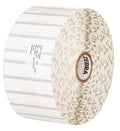 |
Zebra 8000D Jewelry without flaps10010064 | 56 × 13 mm | Thermal Paper | 3510 | 25.4 mm | 1.060,00 Kč+VATIn stock | |
 |
Zebra Z-Perform 1000D3012789-T | 29 × 33 mm | Thermal Paper | 2000 | 25.4 mm | 315,00 Kč+VATOut of stock | View |
 |
Zebra Z-Perform 1000D880169-012D | 31.75 × 12.7 mm | Thermal Paper | 4650 | 25.4 mm | 346,00 Kč+VATOut of stock | View |
 |
Zebra Z-Perform 1000D880169-076D | 31.75 × 76.2 mm | Thermal Paper | 930 | 25.4 mm | 394,00 Kč+VATOut of stock | View |
 |
Zebra Z-Perform 1000D3007189-T | 38.1 × 12.7 mm | Thermal Paper | 5050 | 25.4 mm | 485,00 Kč+VATOut of stock | View |
 |
Zebra Z-Perform 1000D880171-019D | 38.1 × 19.05 mm | Thermal Paper | 3300 | 25.4 mm | 406,00 Kč+VATOut of stock | View |
 |
Zebra Z-Perform 1000D880171-031D | 38.1 × 31.75 mm | Thermal Paper | 2100 | 25.4 mm | 406,00 Kč+VATOut of stock | View |
 |
Zebra Z-Perform 1000D3012558-T | 40 × 40 mm | Thermal Paper | 1675 | 25.4 mm | 432,00 Kč+VATOut of stock | View |
 |
Zebra Z-Perform 1000D Removable3012759-T | 40 × 40 mm | Thermal Paper | 1710 | 25.4 mm | 470,00 Kč+VATOut of stock | View |
 |
Zebra Z-Perform 1000D880173-012D | 44.45 × 12.7 mm | Thermal Paper | 4650 | 25.4 mm | 471,00 Kč+VATOut of stock | View |
 |
Zebra Z-Perform 1000D3008727-T | 50.8 × 38.1 mm | Thermal Paper | 1730 | 25.4 mm | 392,00 Kč+VATOut of stock | View |
 |
Zebra Z-Perform 1000D880599-101DU | 50.8 × 101.6 mm | Thermal Paper | 700 | 25.4 mm | 403,00 Kč+VATOut of stock | View |
 |
Zebra Z-Perform 1000D880175-012D | 50.8 × 12.7 mm | Thermal Paper | 4650 | 25.4 mm | 408,00 Kč+VATOut of stock | View |
 |
Zebra Z-Select 2000D 190 Tag800999-009 | 57 × 34.93 mm | Thermal Paper | 967 | 25.4 mm | 297,00 Kč+VATIn stock | |
 |
Zebra Z-Perform 1000D3007899-T | 57.15 × 38.1 mm | Thermal Paper | 1720 | 25.4 mm | 442,00 Kč+VATOut of stock | View |
 |
Zebra Z-Perform 1000D3011250-T | 57.15 × 31.75 mm | Thermal Paper | 2060 | 25.4 mm | 448,00 Kč+VATOut of stock | View |
 |
Thermal labels 32x20 / 2000 pcsKK001176 | 32 × 20 mm | Thermal Paper | 2000 | 25 mm | 93,00 Kč+VATIn stock | |
 |
Paper direct thermal labels 40x40 / 1000 pcsKK000193 | 40 × 40 mm | Thermal Paper | 1000 | 40 mm | 81,00 Kč+VATIn stock | |
 |
Thermal labels 50x30 / 1000 pcsKK000538 | 50 × 30 mm | Thermal Paper | 1000 | 40 mm | 93,00 Kč+VATIn stock | |
 |
Thermal labels 40x25 / 2000 pcsKK000488 | 40 × 25 mm | Thermal Paper | 2000 | 40 mm | 231,00 Kč+VATIn stock | |
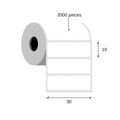 |
Thermal labels 30x10 / 2000 pcsKK000148 | 30 × 10 mm | Thermal Paper (Eco) | 2000 | 40 mm | 104,00 Kč+VATIn stock | |
 |
Thermal labels 32x20 / 180 pcsKK000798 | 32 × 20 mm | Thermal Paper (Eco) | 180 | 25 mm | 18,00 Kč+VATIn stock | |
 |
Paper thermal labels 32x20 / 2500 pcsKK001177 | 32 × 20 mm | Thermal Paper (Eco) | 2500 | 25 mm | 150,00 Kč+VATIn stock | |
 |
Paper thermal labels 32x20 / 2000 pcsKK000147 | 32 × 20 mm | Thermal Paper (Eco) | 2000 | 40 mm | 93,00 Kč+VATIn stock | |
 |
Paper thermal labels 32x25 / 2000 pcsKK010227 | 32 × 25 mm | Thermal Paper (Eco) | 2000 | 25 mm | 72,00 Kč+VATIn stock | |
 |
Paper thermal labels 40x30 / 1000 pcsKK001465 | 40 × 30 mm | Thermal Paper (Eco) | 1000 | 40 mm | 81,00 Kč+VATIn stock | |
 |
Thermal labels 50x25 / 1000 pcsKK000770 | 50 × 25 mm | Thermal Paper (Eco) | 1000 | 40 mm | 116,00 Kč+VATIn stock | |
 |
Paper thermal labels 55x80 / 500 pcsKK015950 | 55 × 80 mm | Thermal Paper (Top) | 500 | 40 mm | 146,00 Kč+VATIn stock | |
 |
Thermal labels 60x30 / 1000 pcsETEBA-0600/0300-2100 | 60 × 30 mm | Thermal Paper (Eco) | 1000 | 40 mm | 110,00 Kč+VATIn stock | |
 |
Thermal labels 60x40 / 1000 pcsKK010395 | 60 × 40 mm | Thermal Paper (Eco) | 1000 | 40 mm | 162,00 Kč+VATIn stock | |
 |
Thermal labels 60x30 / 1000 pcsKK01726 | 60 × 30 mm | Thermal Paper | 1000 | 40 mm | 369,00 Kč+VATIn stock | |
 |
Thermal labels 60x30 / 1000 pcsKK01727 | 60 × 30 mm | Thermal Paper | 1000 | 40 mm | 369,00 Kč+VATIn stock | |
 |
Thermal labels 60x30 / 1000 pcsKK01728 | 60 × 30 mm | Thermal Paper | 1000 | 40 mm | 415,00 Kč+VATIn stock | |
 |
Paper thermal labels 40x25 / 2000 pcsKK069827 | 40 × 25 mm | Thermal Paper (Eco) | 2000 | 40 mm | 116,00 Kč+VATIn stock | |
 |
Thermal labels 30x20 / 2000 pcsKK069868 | 30 × 20 mm | Thermal Paper (Eco) | 2000 | 40 mm | 93,00 Kč+VATIn stock | |
 |
Thermal labels 60x30 / 1000 pcsKK070192 | 60 × 30 mm | Thermal Paper | 1000 | 40 mm | 127,00 Kč+VATIn stock | |
 |
Thermal labels 50x30 / 1000 pcsKK001260 | 50 × 30 mm | Thermal Paper | 1000 | 40 mm | 93,00 Kč+VATIn stock | |
 |
Thermal cardboard Tags 50x37 / 1000 pcsKK000318 | 50 × 37 mm | Thermal Cardboard | 1000 | 40 mm | 231,00 Kč+VATIn stock | |
 |
Thermal labels 50x30 / 1000 pcsKK001109 | 50 × 30 mm | Thermal Paper | 1000 | 40 mm | 93,00 Kč+VATIn stock | |
 |
Zebra Z-Perform 1000D3003772-T | 35 × 149.23 mm | Thermal Paper | 480 | 25.4 mm | 375,00 Kč+VATOut of stock | View |
 |
Zebra Z-Perform 1000D880595-076DU | 38.1 × 76.2 mm | Thermal Paper | 930 | 25.4 mm | 409,00 Kč+VATOut of stock | View |
 |
Zebra Z-Perform 1000D3008503-T | 40 × 25 mm | Thermal Paper | 2490 | 25.4 mm | 406,00 Kč+VATOut of stock | View |
 |
Zebra Z-Perform 1000D880173-019D | 44.45 × 19.05 mm | Thermal Paper | 3300 | 25.4 mm | 469,00 Kč+VATOut of stock | View |
 |
Zebra Z-Perform 1000D3011447-T | 45 × 25 mm | Thermal Paper | 2441 | 25.4 mm | 438,00 Kč+VATOut of stock | View |
 |
Zebra Z-Perform 1000D3013290-T | 50 × 215 mm | Thermal Paper | 339 | 25.4 mm | 531,00 Kč+VATOut of stock | View |
 |
Zebra Z-Perform 1000D3003392 | 50.8 × 50.8 mm | Thermal Paper | 1410 | 25.4 mm | 456,00 Kč+VATOut of stock | View |
 |
Zebra Z-Perform 1000D3012297-T | 50.8 × 165.1 mm | Thermal Paper | 442 | 25.4 mm | 451,00 Kč+VATOut of stock | View |
 |
Zebra Z-Perform 1000D3011661-T | 50.8 × 76.2 mm | Thermal Paper | 938 | 25.4 mm | 409,00 Kč+VATOut of stock | View |
 |
Zebra Z-Perform 1000D3009731-T | 60 × 71320 mm | Thermal Paper | 1 | 25.4 mm | 432,00 Kč+VATOut of stock | View |
 |
Zebra Z-Perform 1000D Removable880665-076DU | 31.75 × 76.2 mm | Thermal Paper | 930 | 25.4 mm | 403,00 Kč+VATOut of stock | View |
 |
Zebra Z-Perform 1000D880175-025D | 50.8 × 25.4 mm | Thermal Paper | 2580 | 25.4 mm | 405,00 Kč+VATOut of stock | View |
 |
Zebra Z-Perform 1000D880177-038D | 57.15 × 38.1 mm | Thermal Paper | 1790 | 25.4 mm | 427,00 Kč+VATOut of stock | View |
 |
Zebra 8000D Jewelry with flaps10010065 | 56 × 13 mm | Thermal Paper | 3510 | 25.4 mm | 1.060,00 Kč+VATOut of stock | View |
No matching products.
More ZD611 guides
Related guides
Still stuck?
Contact support
Send us your model and a short description of the problem. Our team will help you find a solution.
