Comarch ERP Optima Label Printer and Scanner: What Works
You run Comarch ERP Optima, you need shelf labels and product labels, and the Optima help pages list exactly four label printers: DYMO LabelWriter 400 and 450 and Brother QL-560 and QL-580N. None of them is a printer you would put in a warehouse. This guide explains how a Comarch ERP Optima label printer setup works in practice, which Zebra and Honeywell models fit, and how to set up barcode scanners and data collectors so that Optima finds the right item every time.
Comarch ERP Optima label printer: which model for which job?
Start here if you only want to order. Everything below is a real part number we stock.
| Your situation | Order this | Why |
|---|---|---|
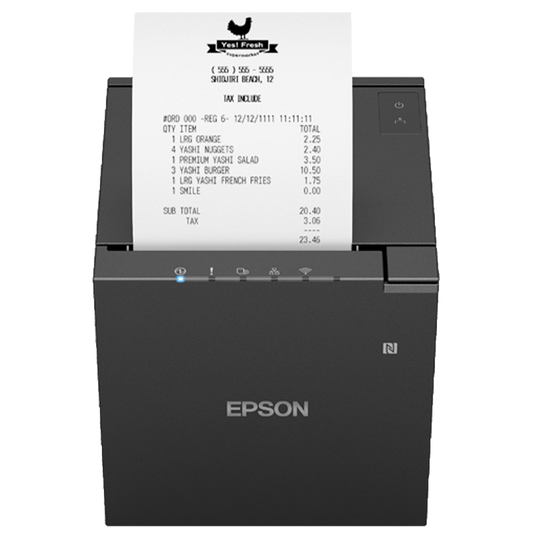
| Shelf and price labels printed from the price list (Cennik), small shop | Zebra ZD411d, ZD4A022-D0EE00EZ | 2-inch, 203 dpi, direct thermal. Fits the 57 x 32 mm template size Optima ships for DYMO. |
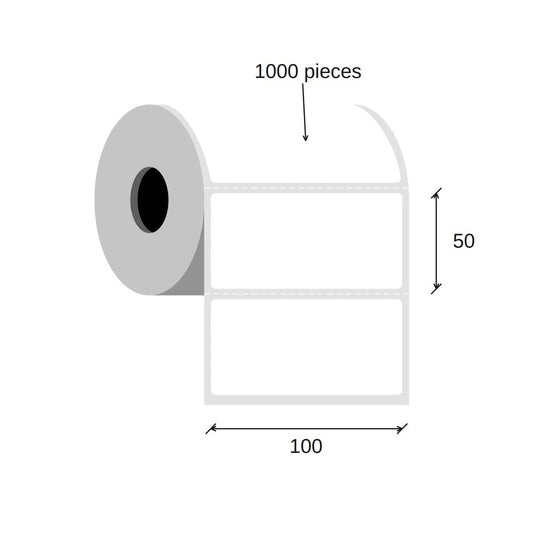
| Product labels, carton labels, 62 mm and wider, shipping labels 100 x 150 mm | Zebra ZD421d, ZD4A042-D0EE00EZ | 4-inch, 203 dpi, direct thermal. Takes the Brother 62 x 100 mm template width that a 2-inch printer cannot. |
| Labels that must last (outdoor, freezer, months on the shelf) | Honeywell PC42E-T, PC42E-TB02300 or a Zebra ZD421t | Thermal transfer with a ribbon. The Honeywell is the budget choice, the Zebra has more connectivity. |
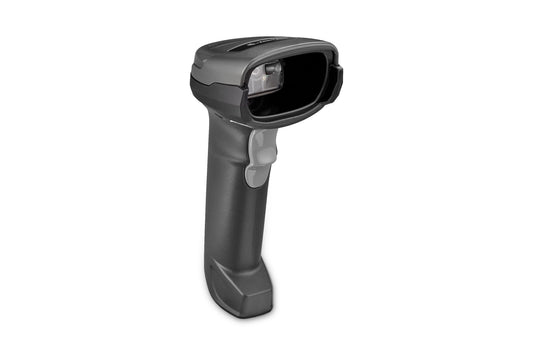
| Scanning at the till, goods receipt at the desk | Zebra DS2208, DS2208-SR7U2100SGW | 2D imager with USB cable and stand. Reads EAN-13, weight codes and QR codes. |
| Busy counter, tight budget | Honeywell Voyager 1470g, 1470G2D-2USB-EU | 2D imager, USB. Fine for retail EAN scanning in Optima. |
How does Optima actually print labels?
Optima has two routes, and knowing which one you are on saves a lot of support calls.
Route 1: a printout from Generator Raportów. According to Comarch's own OPT048 article on external devices, the supported label printouts are reports designed in the Generator Raportów editor for specific paper sizes, and they are available from the price list (Cennik) and the contractor list (Kontrahenci). The templates are 57 x 32 mm and 89 x 36 mm for DYMO, and 29 x 90 mm and 62 x 100 mm for Brother. Optima renders the page and hands it to a Windows printer. That is the key point: the printout does not know or care what brand sits behind the Windows driver.
So a Zebra or Honeywell works on this route through its Windows driver (ZDesigner for Zebra). You create a paper size in the driver that matches your label, copy the closest Optima template, and adjust its page size to the label you actually load. Comarch does not list Zebra as tested, so test one label before you print a thousand.
Route 2: an additional function (funkcja dodatkowa). Comarch's DYMO example adds a script to the product card that opens a label file in DYMO's own software, fills in the name, price and barcode, and prints. The same idea works with other label software: Optima passes the data, the label program does the layout. This is more work to set up, but the label design then lives in a proper label editor instead of a report designer.
What goes wrong with Optima label printing?
| Symptom | Usual cause | Fix |
|---|---|---|
| Every second label is blank, or the print drifts down the roll | Page size in the Optima printout does not match the label size in the driver | Set the same width and height in both, then run media calibration on the printer |
| Barcode prints but does not scan, or the last digit is wrong | Check digit added twice | Comarch's DYMO example cuts the EAN to 12 digits because the driver calculates the check digit itself. If your label tool does the same, send 12 digits. If it does not, send all 13. |
| Barcode looks fuzzy or bars merge | Barcode drawn as a scaled graphic at 203 dpi | Use a barcode font or element that the driver prints natively, and keep the module width at a whole number of dots |
| Labels fade after a few weeks | Direct thermal labels in light or heat | Switch to a thermal transfer printer and a matching ribbon |
| Brother 62 mm template is cut off | 2-inch printer | A ZD411 prints up to 56 mm wide. Use a 4-inch printer such as the ZD421 for anything wider. |
Which barcode scanner works with Comarch ERP Optima?
Any scanner that emulates a keyboard. Comarch states this directly, and it is why we do not sell an "Optima scanner": a USB scanner in keyboard (HID) mode types the code into whatever field has focus, exactly as if someone had typed it and pressed Enter. Check that the scanner sends Enter after the code. Most do out of the box, but a scanner reconfigured for another program may not.
The scanner is the easy part. The settings in Optima decide whether a scan finds the item:
- Sprzedaż tylko wg kodów EAN in Konfiguracja firmy / Handel / Parametry. With it switched on, Optima looks up the scanned value by EAN first, then by product code, then by name.
- Dodawanie pozycji na dokumencie: edycja na liście in the same place. This lets you scan items straight onto a document, and weight codes only work in this mode.
- One code, one item. Optima does not allow two products with the same barcode in one database. Duplicates from supplier imports are the most common reason a scan "does nothing".
How do weight codes from a scale work in Optima?
Optima reads weight barcodes that start with 27 or 29. The code is 13 digits. Digits 3 to 6 must match the EAN field on the product card, and the weight follows. Comarch's example: 29 1234 V 01525 K adds item 1234 with a quantity of 1.525 kg. The maximum weight is 99.999 kg. Weight codes do not work on PWP and RWS documents.
If your scale labels use a different prefix or layout, change the scale, not Optima. And if those labels come off a printer in the deli, thermal transfer or a good top-coated direct thermal label survives the fridge far better than plain paper.
Can I use a data collector with Optima?
Yes, with limits. Collector setup is in Konfiguracja stanowiska / Ogólne / Kolektor, where you choose the collector type, COM port, protocol and the record definition (Definicja rekordu) that describes where the item code and quantity sit in each line. On a document you import with the Kolektor danych button or Ctrl+Alt+K.
| Point | What Comarch documents |
|---|---|
| Listed collector families | CipherLab 8000, 8001, 8300, 8400, Opticon, Denso BHT, Dolphin |
| Direction | Import into Optima only. Optima cannot send data to the collector. |
| Software on the device | Must be the manufacturer's original software |
| Where it does not work | Correction documents, and documents where adding lines is blocked |
The honest trade-off: the listed collectors are older batch devices. A modern Android terminal does not plug into this COM port import. If you are buying new hardware for stocktaking in Optima, plan for a third-party app or integration, or keep it simple with a cordless scanner within range of the PC.
Common questions
Does a Zebra label printer work with Comarch ERP Optima?
Yes, as a Windows printer through the ZDesigner driver, printing Generator Raportów label printouts sized to your label. Comarch does not list Zebra as tested, so check one label first.
Do I need a 2D scanner for Optima?
Not for EAN-13 today. A 2D imager costs little more, also reads QR and GS1 DataMatrix, and will not need replacing when suppliers move to 2D codes.
Direct thermal or thermal transfer for price labels?
Direct thermal is fine for price labels that are replaced within weeks. Use thermal transfer for anything that sits in sun, heat or cold, or must stay readable for months.
Why does the scanner type the right code but Optima finds nothing?
The EAN field on the product card is empty or holds a different code, or the "Sprzedaż tylko wg kodów EAN" parameter is off. Check the product card first.
Can Optima print labels from a goods receipt document?
The label printouts Comarch documents are on the price list and the contractor list. For other places, an additional function that passes the data to label software is the usual route.
Where to go next
For a small shop printing shelf labels from Optima, a 2-inch direct thermal printer and a USB 2D scanner cover the job. For product and carton labels, go 4-inch. Browse all label printers, match the roll size to your Optima template in our labels range, and pick a scanner from the barcode scanners category.
Tags: