Troubleshooting
TSC DA210 and DA220 troubleshooting: lights, errors and fixes
What the single LED tells you, and how to fix red or green blinking, blank or skipped labels, poor print, no printing and factory resets.
In this guide
The DA210 and DA220 have no display. They report their state with one LED that lights green, amber or red, solid or blinking. Find what you see below and open the matching fix.
What the LED means
| LED | Meaning |
|---|---|
| Solid green | Power on, ready to print |
| Blinking green | Receiving data, or printing paused |
| Amber | The printer is clearing data |
| Solid red | Top cover (printhead) open, or cutter error |
| Blinking red | Printing error, such as labels out, paper jam or memory error |
| Off | No power |
Find your symptom
| What you see | Likely cause | Fix |
|---|---|---|
| Blinking red | Labels out, jam or wrong setting | Fix 1 → |
| Solid red | Cover not latched, or cutter error | Fix 2 → |
| Blinking green and nothing prints | Printer paused | Fix 3 → |
| LED off | No power | Fix 4 → |
| Solid green but the job never arrives | Cable, driver port or network settings | Fix 5 → |
| Labels feed out blank | Labels upside down or not direct thermal | Fix 6 → |
| Labels skip, or feed without stopping | Sensor not calibrated or wrong label size | Fix 7 → |
| Faint, patchy or streaky print | Cover, power, density or dirty printhead | Fix 8 → |
| Settings are wrong and nothing helps | Configuration needs a reset | Fix 9 → |
Fixes
1. LED blinks redLabels out, paper jam or a setting error
CauseA printing error: usually labels out or a wrong setting, sometimes a paper jam or memory error.
Fix
- Open the top cover. If the roll is empty, load a new one with the printable side up, under the sensor and onto the platen roller.
- If a label is stuck near the sensor or the platen roller, remove it carefully.
- Close the cover until both latches click and press FEED to continue.
- If the LED blinks red again although labels are loaded, calibrate the sensor (see Fix 7).
- If that doesn't help, initialise the printer (Fix 9) and calibrate again.
2. LED is solid redTop cover open or cutter error
CauseThe head-open sensor reports that the top cover is not closed, or the optional cutter (DA220) has a problem.
Fix
- Open the top cover and close it again firmly, so that the levers on the left and right both latch.
- On a DA220 with a cutter, switch the printer off and remove any label stuck in the cutter.
- Check that the labels are threaded correctly for cutter mode and that the post-print action in your settings is set to cutter.
3. LED blinks green and nothing printsPrinter paused
CauseSomebody pressed FEED during a print job, which pauses the printer. A short green blink while data arrives is normal.
Fix
- Press FEED once to resume printing.
4. LED stays offNo power
CauseThe printer gets no power.
Fix
- Check that the power switch at the back is on.
- Check the green LED on the power adapter. If it doesn't light, the adapter is faulty.
- Check both connections: power cord to adapter, and adapter to the printer's power socket.
5. Nothing printsLED green, but no label comes out
CauseThe job doesn't reach the printer: loose cable, wrong driver port, or wrong serial or network settings.
Fix
- Reconnect the interface cable at both ends.
- In the Windows driver, select the port the printer is really connected to (USB, COM or network).
- RS-232 on the DA220: use a pin-to-pin cable and the same serial settings on the PC and the printer.
- Ethernet or Wi-Fi on the DA220: check the IP address, subnet mask and gateway in TSC Console, and check that the cable is connected and the port lights flash.
- Printers for Europe: if network setup fails, connect by USB and set Functions › PRTSecure › Security Mode to Standard in TSC Console (version 3.4.0.5 or later).
6. Labels come out blankLabels feed but stay white
CauseThe labels are loaded the wrong way round, or they are not direct thermal labels. The DA210 and DA220 print only on heat-sensitive labels and cannot use a ribbon.
Fix
- Reload the roll so the printable side faces up towards the printhead.
- Scratch the label quickly with a fingernail. No dark mark means the labels need a ribbon and won't work in this printer; use direct thermal labels.
7. Labels skip or feed without stoppingPrint lands across two labels, or blank labels in between
CauseThe media sensor is not calibrated for these labels, the label size in the software is wrong, or the sensor is dusty.
Fix
- Set the label size exactly as the loaded labels in the driver (Printing preferences › Page Setup › Stock) and in your label software.
- Calibrate: switch off, hold FEED, switch on and release FEED while the LED blinks red.
- If labels feed through without stopping, initialise the printer (Fix 9) and calibrate again.
- Clean the sensor with a soft, non-metallic brush or a vacuum cleaner.
Sensor options and TSC Console calibration are explained in DA210/DA220 calibration.
8. Poor print qualityFaint, patchy or with white lines
CauseCover not fully closed, wrong power supply, badly loaded labels, a dirty or damaged printhead, or unsuitable density and speed.
Fix
- Close the top cover completely, with both levers latched.
- Check that you use the supplied 24 V DC adapter, and reload the labels.
- Switch the printer off, let the printhead cool for at least a minute, and clean it with a cotton swab and 99 % isopropyl alcohol. Clean the platen roller the same way.
- Increase the density or reduce the speed in the driver, your label software or TSC Console.
- Print a self-test (release FEED during the amber blinks at switch-on). Missing dots in the test pattern mean a damaged printhead; contact us for a replacement.
9. Reset to factory defaultsInitialise the printer
CauseWrong settings that you can't trace, or continuous feeding that calibration alone doesn't fix. TSC calls the reset "initialization" or "factory default".
Fix
- Switch the printer off.
- Hold FEED and switch the printer on.
- The LED lights amber, then blinks red 5 times, then amber 5 times, then green 5 times. Release FEED while it blinks green.
- Calibrate the sensor again afterwards.
With TSC Console, select the printer and use Functions › Printer Configuration › Factory Default. Only the Wi-Fi settings are reset with Wi-Fi Default. Note your network settings before a reset, and check them afterwards.
Loading and drivers are covered in the DA210/DA220 setup guide.
Frequently asked questions
Why is the light on my TSC DA210 blinking red?
The printer reports an error, usually no labels or a wrong setting. Reload the labels, close the cover and press FEED; if it keeps blinking, calibrate the sensor.
How do I reset a TSC DA220 to factory settings?
Hold FEED while switching the printer on and release it while the LED blinks green, after the red and amber blinks. Or use Factory Default in TSC Console.
Why does my TSC printer print blank labels?
The labels are upside down or are not direct thermal labels. Load direct thermal labels with the printable side up.
Why does my DA210 print a page of text instead of my label?
The printer is probably in dump mode, which starts after the self-test. Switch it off and on again.
Was this guide helpful?
Used in this guide
Compatible consumables and accessories for the DA210.
Compatible labels
| Product | Size (W × H) | Material | Labels / roll | Core | Price | ||
|---|---|---|---|---|---|---|---|
 |
Tsc W: 78 mm38-S078130-1031 | 78 × 130000 mm | Thermal Paper | 1 | 25.4 mm | 360,00 Kč+VATIn stock | |
 |
Tsc W: 100 mm38-T100150-12LF | 100 × 150 mm | Thermal Paper | 500 | 25.4 mm | 267,00 Kč+VATOut of stock | View |
 |
Tsc W: 100 mm38-T100100-12LF | 100 × 100 mm | Thermal Paper | 700 | 25.4 mm | 300,00 Kč+VATOut of stock | View |
 |
Tsc W: 102 mm38-T102102-12LF | 102 × 102 mm | Thermal Paper | 800 | 25.4 mm | 319,00 Kč+VATOut of stock | View |
 |
Tsc W: 104 mm38-T104074-12LF | 104 × 74 mm | Thermal Paper | 1000 | 25.4 mm | 326,00 Kč+VATOut of stock | View |
 |
Tsc W: 105 mm38-T105148-2-12LF | 105 × 148 mm | Thermal Paper | 500 | 25.4 mm | 312,00 Kč+VATOut of stock | View |
 |
Tsc W: 100 mm38-T100050-12LF | 100 × 50 mm | Thermal Paper | 1400 | 25.4 mm | 323,00 Kč+VATOut of stock | View |
 |
Tsc W: 80 mm38-T080060-12LF | 80 × 60 mm | Thermal Paper | 1150 | 25.4 mm | 249,00 Kč+VATOut of stock | View |
 |
Tsc W: 75 mm38-T075050-12LF | 75 × 50 mm | Thermal Paper | 1400 | 25.4 mm | 248,00 Kč+VATOut of stock | View |
 |
Tsc W: 50 mm38-T050050-12LF | 50 × 50 mm | Thermal Paper | 1400 | 25.4 mm | 182,00 Kč+VATOut of stock | View |
 |
Tsc W: 40 mm38-T040040-12LF | 40 × 40 mm | Thermal Paper | 1700 | 25.4 mm | 141,00 Kč+VATOut of stock | View |
 |
Tsc W: 32 mm38-T032020-12LF | 32 × 20 mm | Thermal Paper | 3000 | 25.4 mm | 132,00 Kč+VATOut of stock | View |
 |
Zebra Z-Perform 1000D800284-605 | 101.6 × 152.4 mm | Thermal Paper | 475 | 25.4 mm | 484,00 Kč+VATIn stock | |
 |
Zebra Z-Select 2000D800264-605 | 102 × 152 mm | Thermal Paper | 475 | 25.4 mm | 580,00 Kč+VATIn stock | |
 |
Zebra Z-Select 2000D800264-405 | 101.6 × 101.6 mm | Thermal Paper | 700 | 25.4 mm | 580,00 Kč+VATIn stock | |
 |
Zebra Z-Select 2000D800264-505 | 102 × 127 mm | Thermal Paper | 565 | 25.4 mm | 580,00 Kč+VATIn stock | |
 |
Zebra Z-Select 2000D87000 | 100 × 50 mm | Thermal Paper | 1300 | 25.4 mm | 564,00 Kč+VATIn stock | |
 |
Zebra Z-Perform 1000D880191-076D | 101.6 × 76.2 mm | Thermal Paper | — | 25.4 mm | 484,00 Kč+VATIn stock | |
 |
Zebra Z-Select 2000D800264-255 | × mm | Thermal Paper | 1100 | 25.4 mm | 580,00 Kč+VATIn stock | |
 |
Zebra Z-Select 2000D 190 Tag800999-020 | 102 × 76 mm | Thermal Paper | 450 | 25.4 mm | 541,00 Kč+VATIn stock | |
 |
Zebra Z-Select 2000D800263-205 | 76 × 51 mm | Thermal Paper | 1370 | 25.4 mm | 443,00 Kč+VATIn stock | |
 |
Zebra Z-Perform 1000D800283-205 | 76.2 × 50.8 mm | Thermal Paper | 1370 | 25.4 mm | 385,00 Kč+VATIn stock | |
 |
Zebra Z-Select 2000D800262-125 | 57.15 × 31.75 mm | Thermal Paper | 2100 | 25.4 mm | 349,00 Kč+VATIn stock | |
 |
Zebra Z-Select 2000D880199-025D | 51 × 25 mm | Thermal Paper | 2580 | 25.4 mm | 349,00 Kč+VATIn stock | |
 |
Zebra Z-Select 2000D800262-205 | 57 × 51 mm | Thermal Paper | 1370 | 25.4 mm | 349,00 Kč+VATIn stock | |
 |
Zebra Z-Perform 1000D880595-025DU | 38.1 × 25.4 mm | Thermal Paper | 2580 | 25.4 mm | 292,00 Kč+VATIn stock | |
 |
Zebra Z-Perform 1000D880175-031D | 50.8 × 31.75 mm | Thermal Paper | 2100 | 25.4 mm | 326,00 Kč+VATIn stock | |
 |
Zebra Z-Perform 1000D3009724-T | 102 × 192 mm | Thermal Paper | 360 | 25.4 mm | 717,00 Kč+VATIn stock | |
 |
Zebra Z-Essentials 1000DZIPZED3018655XL | 101.6 × 152.4 mm | Thermal Paper | 532 | 25.4 mm | 477,00 Kč+VATIn stock | |
 |
Zebra Z-Perform 1000D880181-031D | 69.85 × 31.75 mm | Thermal Paper | 2100 | 25.4 mm | 376,00 Kč+VATIn stock | |
 |
Paper direct thermal labels 100x170 / 250 pcsKK010247 | 100 × 170 mm | Thermal Paper | 250 | 40 mm | 208,00 Kč+VATIn stock | |
 |
Thermal labels 32x20 / 2000 pcsKK001176 | 32 × 20 mm | Thermal Paper | 2000 | 25 mm | 93,00 Kč+VATIn stock | |
 |
Paper direct thermal labels 40x40 / 1000 pcsKK000193 | 40 × 40 mm | Thermal Paper | 1000 | 40 mm | 81,00 Kč+VATIn stock | |
 |
Thermal labels 50x30 / 1000 pcsKK000538 | 50 × 30 mm | Thermal Paper | 1000 | 40 mm | 93,00 Kč+VATIn stock | |
 |
Thermal labels 70x60 / 1000 pcsKK001387 | 70 × 60 mm | Thermal Paper | 1000 | 25 mm | 185,00 Kč+VATIn stock | |
 |
Paper direct thermal labels 100x50 / 1000 pcsKK000203 | 100 × 50 mm | Thermal Paper | 1000 | 40 mm | 185,00 Kč+VATIn stock | |
 |
Thermal labels 80x50 / 1000 pcsKK000179 | 80 × 50 mm | Thermal Paper | 1000 | 40 mm | 196,00 Kč+VATIn stock | |
 |
Thermal labels 80x50 / 1000 pcsKK001442 | 80 × 50 mm | Thermal Paper | 1000 | 40 mm | 139,00 Kč+VATIn stock | |
 |
Paper thermal labels 100x70 / 800 pcsKK01715 | 100 × 70 mm | Thermal Paper (Eco) | 800 | 40 mm | 259,00 Kč+VATIn stock | |
 |
Thermal labels 100x150 / 500 pcsKK000121 | 100 × 150 mm | Thermal Paper | 500 | 40 mm | 288,00 Kč+VATIn stock | |
 |
Thermal labels 40x25 / 2000 pcsKK000488 | 40 × 25 mm | Thermal Paper | 2000 | 40 mm | 231,00 Kč+VATIn stock | |
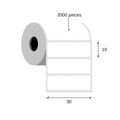 |
Thermal labels 30x10 / 2000 pcsKK000148 | 30 × 10 mm | Thermal Paper (Eco) | 2000 | 40 mm | 104,00 Kč+VATIn stock | |
 |
Thermal labels 32x20 / 180 pcsKK000798 | 32 × 20 mm | Thermal Paper (Eco) | 180 | 25 mm | 18,00 Kč+VATIn stock | |
 |
Paper thermal labels 32x20 / 2500 pcsKK001177 | 32 × 20 mm | Thermal Paper (Eco) | 2500 | 25 mm | 150,00 Kč+VATIn stock | |
 |
Paper thermal labels 32x20 / 2000 pcsKK000147 | 32 × 20 mm | Thermal Paper (Eco) | 2000 | 40 mm | 93,00 Kč+VATIn stock | |
 |
Paper thermal labels 32x25 / 2000 pcsKK010227 | 32 × 25 mm | Thermal Paper (Eco) | 2000 | 25 mm | 72,00 Kč+VATIn stock | |
 |
Paper thermal labels 40x30 / 1000 pcsKK001465 | 40 × 30 mm | Thermal Paper (Eco) | 1000 | 40 mm | 81,00 Kč+VATIn stock | |
 |
Thermal labels 50x25 / 1000 pcsKK000770 | 50 × 25 mm | Thermal Paper (Eco) | 1000 | 40 mm | 116,00 Kč+VATIn stock | |
 |
Paper thermal labels 55x80 / 500 pcsKK015950 | 55 × 80 mm | Thermal Paper (Top) | 500 | 40 mm | 146,00 Kč+VATIn stock | |
 |
Thermal labels 60x30 / 1000 pcsETEBA-0600/0300-2100 | 60 × 30 mm | Thermal Paper (Eco) | 1000 | 40 mm | 110,00 Kč+VATIn stock | |
 |
Paper thermal labels 75x25 / 1000 pcsKK000635 | 75 × 25 mm | Thermal Paper (Eco) | 1000 | 40 mm | 116,00 Kč+VATIn stock | |
 |
Paper thermal labels 80x20 / 2000 pcsKK000209 | 80 × 20 mm | Thermal Paper (Eco) | 2000 | 40 mm | 231,00 Kč+VATIn stock | |
 |
Paper thermal labels 80x50 / 1000 pcsKK000205 | 80 × 50 mm | Thermal Paper (Eco) | 1000 | 40 mm | 173,00 Kč+VATIn stock | |
 |
Paper thermal labels 100x60 / 500 pcsKK000115 | 100 × 60 mm | Thermal Paper (Eco) | 500 | 40 mm | 150,00 Kč+VATIn stock | |
 |
Thermal labels 100x100 / 500 pcsKK000408 | 100 × 100 mm | Thermal Paper (Eco) | 500 | 40 mm | 208,00 Kč+VATIn stock | |
 |
Thermal labels 100x140 / 500 pcsKK001310 | 100 × 140 mm | Thermal Paper (Eco) | 500 | 40 mm | 242,00 Kč+VATIn stock | |
 |
Label 100mm x 150mm White Direct Thermal Labels (360 pcs)KK01673 | 100 × 150 mm | Thermal Paper | 360 | — | 231,00 Kč+VATIn stock | |
 |
Paper direct thermal labels 102x40 / 930 pcsKK001687 | 102 × 40 mm | Thermal Paper | 930 | 40 mm | 150,00 Kč+VATIn stock | |
 |
Thermal labels 60x40 / 1000 pcsKK010395 | 60 × 40 mm | Thermal Paper (Eco) | 1000 | 40 mm | 162,00 Kč+VATIn stock | |
 |
Direct thermal labels 80x60 / 1000 pcsKK001428 | 80 × 60 mm | Thermal Paper | 1000 | 40 mm | 404,00 Kč+VATIn stock | |
 |
Thermal labels 60x30 / 1000 pcsKK01726 | 60 × 30 mm | Thermal Paper | 1000 | 40 mm | 369,00 Kč+VATIn stock | |
 |
Thermal labels 60x30 / 1000 pcsKK01727 | 60 × 30 mm | Thermal Paper | 1000 | 40 mm | 369,00 Kč+VATIn stock | |
 |
Thermal labels 60x30 / 1000 pcsKK01728 | 60 × 30 mm | Thermal Paper | 1000 | 40 mm | 415,00 Kč+VATIn stock | |
 |
Paper thermal labels 100x60 / 1000 pcsKK019207 | 100 × 60 mm | Thermal Paper (Eco) | 1000 | 40 mm | 369,00 Kč+VATIn stock | |
 |
Thermo labels 70x50 / 1000 pcsKK019308 | 70 × 50 mm | Thermal Paper | 1000 | 40 mm | 173,00 Kč+VATIn stock | |
 |
Thermal labels 100x100 / 150 pcsKK019324 | 100 × 100 mm | Thermal Paper (Eco) | 150 | 25 mm | 173,00 Kč+VATIn stock | |
 |
Direct thermal labels 80x60 / 1000 pcsKK069753 | 80 × 60 mm | Thermal Paper | 1000 | 40 mm | 415,00 Kč+VATIn stock | |
 |
Paper thermal labels 40x25 / 2000 pcsKK069827 | 40 × 25 mm | Thermal Paper (Eco) | 2000 | 40 mm | 116,00 Kč+VATIn stock | |
 |
Thermal labels 30x20 / 2000 pcsKK069868 | 30 × 20 mm | Thermal Paper (Eco) | 2000 | 40 mm | 93,00 Kč+VATIn stock | |
 |
Thermal labels 60x30 / 1000 pcsKK070192 | 60 × 30 mm | Thermal Paper | 1000 | 40 mm | 127,00 Kč+VATIn stock | |
 |
Thermal labels 50x30 / 1000 pcsKK001260 | 50 × 30 mm | Thermal Paper | 1000 | 40 mm | 93,00 Kč+VATIn stock | |
 |
Paper thermal labels 100x40 / 1000 pcsKK000271 | 100 × 40 mm | Thermal Paper (Eco) | 1000 | 40 mm | 173,00 Kč+VATIn stock | |
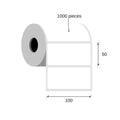 |
Paper thermal labels 100x50 / 1000 pcsKK019227 | 100 × 50 mm | Thermal Paper (Eco) | 1000 | 40 mm | 173,00 Kč+VATIn stock | |
 |
Thermal cardboard Tags 50x37 / 1000 pcsKK000318 | 50 × 37 mm | Thermal Cardboard | 1000 | 40 mm | 231,00 Kč+VATIn stock | |
 |
Thermal labels 70x30 / 1000 pcsKK001076 | 70 × 30 mm | Thermal Paper (Eco) | 1000 | 40 mm | 116,00 Kč+VATIn stock | |
 |
Foil thermal labels 100x100 / 500 pcsKK069997 | 100 × 100 mm | Thermal Synthetic (PP) | 500 | 40 mm | 944,00 Kč+VATIn stock | |
 |
Thermal labels 50x30 / 1000 pcsKK001109 | 50 × 30 mm | Thermal Paper | 1000 | 40 mm | 93,00 Kč+VATIn stock | |
 |
Tsc W: 45 mm38-T045030-12LF | 45 × 30 mm | Thermal Paper | 2300 | 25.4 mm | 177,00 Kč+VATOut of stock | View |
 |
Tsc W: 47 mm38-T047047-12LF | 47 × 47 mm | Thermal Paper | 1500 | 25.4 mm | 184,00 Kč+VATOut of stock | View |
 |
Tsc W: 50 mm38-T050020-12LF | 50 × 20 mm | Thermal Paper | 3000 | 25.4 mm | 182,00 Kč+VATOut of stock | View |
No matching products.
More DA210 guides
Still stuck?
Contact support
Send us your model and a short description of the problem. Our team will help you find a solution.
