How-to
RAM Mounts for military, defence and security vehicles: buyer's guide
How defence, border, police and rescue fleets in the Baltics and Finland can choose RAM Mounts for rugged tablets and laptops: ball sizes, bases, locks, vehicle power, safe fitting and a tender checklist.
In this guide
A rugged tablet or laptop only helps a vehicle crew if it stays in view, stays charged and cannot walk away. This guide explains how to choose RAM Mounts tablet and laptop mounts for military vehicles and for defence and security fleets in the Baltics and Finland: ball sizes, holders, bases, locks, power, safe installation and a tender checklist. SCANSHOP is an official RAM Mounts reseller.

Why tablet mounts matter in military and security vehicles
Finland joined NATO on 4 April 2023, and at The Hague summit on 25 June 2025 NATO Allies committed to invest 5% of GDP a year on core defence requirements and defence- and security-related spending by 2035. The defence ministries put 2026 spending at 5.4% of GDP in Estonia and 4.91% in Latvia.
Defence vehicle integrators, voluntary defence organisations, border guards, police and rescue fleets share one task: keep the device steady on rough roads, charged, locked and clear of the airbags. RAM says its systems have been used in military vehicles including MRAPs, HMMWVs, APCs and submarines.

Understand the RAM ball-and-socket system
Every RAM mount is built around a rubber ball and socket. A typical mount combines a base with a ball, a double socket arm and a holder or plate with a second ball. One knob clamps both balls, and RAM says the rubber greatly reduces the vibration that reaches electronics.
The ball size sets the load, and the part number shows it: RAM-B- is B, RAM- without a letter is C, RAM-D- is D and RAM-E- is E.
| Size | Ball | Approx. max load* | RAM's typical use |
|---|---|---|---|
| A | 14.3 mm (0.56 in) | ≈ 0.23 kg (0.5 lb) | Trail cameras |
| B | 25.4 mm (1 in) | ≈ 0.9 kg (2 lb) | Phones, GPS units, small tablets |
| C | 38.1 mm (1.5 in) | ≈ 1.8 kg (4 lb) | Large tablets, rougher rides |
| D | 57.2 mm (2.25 in) | ≈ 2.7 kg (6 lb) | Rugged tablets, laptops, heavy equipment |
| E | 85.9 mm (3.38 in) | ≈ 6.8 kg (15 lb) | Large displays |
* RAM: approximate capacity for a standard ball with a mid-length arm; shorter arms and steel-reinforced posts carry more. Metric values are our conversions.
Weigh the device with its case or dock. If the device is heavier than a size's capacity, RAM recommends the next size up. The RAM ball sizes guide covers arms and heavy-duty set-ups.
Video: RAM Mounts
Choose the holder for each device class
Phones and handhelds (B): the X-Grip phone holder uses a spring-loaded X with rubber caps and takes phones with or without a case; check its width range with the case fitted.
Rugged tablets (C or D): In RAM's GDS system the tablet wears an IntelliSkin sleeve with a power connector and charges through pogo pins in a Tough-Dock. For the Galaxy Tab Active5 that means IntelliSkin Next Gen plus a Tough-Dock for Tab Active5 & 3; RAM states that neither supports the tablet's No Battery Mode. Model-specific holders include the key-locking form-fit Getac ZX70 holder and the spring-loaded Tab-Tite for the Panasonic FZ-G2 (TOUGHBOOK G2), FZ-A3 and Getac UX10 (not with the UX10's extended battery or handle). See the rugged tablet vehicle mounts guide for each model.
Laptops (D): the Tough-Tray holds laptops 254–406 mm (10–16 in) wide with four rubber-gripped clamping arms. The Tough-Tray laptop mount guide shows complete vehicle kits.
Larger screens (D or E): devices with a VESA pattern go on a VESA plate. The RAM-D-101U-246 kit has a drill-down round base, a medium D-size arm and a plate for 100 × 100 and 75 × 75 mm VESA. RAM rates it at ≈ 2.7 kg (6 lb) for standard and ≈ 2.3 kg (5 lb) for heavy-duty use.
Pick the base for the mounting surface
Flat panels and consoles: a round plate with ball screws on. RAM's D-size plate is about 93.5 mm (3.68 in) across, with two holes at 180° and three at 120°. Drill only where the vehicle maker's rules allow.
Rails and roll bars: the Tough-Claw clamps on without tools. The medium size takes round rails of about 25–48 mm (1–1.875 in) and flat surfaces up to about 41 mm (1.6 in).
No drilling: RAM's no-drill bases use existing vehicle hardware such as the passenger seat bolts. For its no-drill laptop mount, RAM's tested-vehicle list is built on US-market models, RAM primarily recommends it for left-hand-drive vehicles and warns that some installations may limit seat adjustment. Check RAM's fitment document for each vehicle.
Video: RAM Mounts
Secure devices against theft and tampering
- Pin-Lock (D and E arms): replaces the knob; RAM states the mount cannot be removed or taken apart without the key knob. Tighten it fully, then back it off two full turns, as RAM instructs.
- Key-lock knob (C arms): the RAM-201LU arm has a brass key-lock knob and two keys.
- Locking docks and cases: the Locking Tough-Dock and the Getac ZX70 holder lock with a key; the Safe-Case is a key-locking steel enclosure for the Tab Active5 and 3.
Note
Keep a key register per vehicle. RAM states that replacement Pin-Lock keys must match the pattern of your security knob.
The RAM locking guide compares all options. Our picks: the RAM-D-101U-246 for 75 × 75 or 100 × 100 mm VESA devices, the RAP-404U Tough-Claw (C size) for rails and roll bars, and a Pin-Lock nut to lock that kit's D-size arm.
Recommended RAM Mounts for mounting and locking in vehicles

RAM MOUNTRAM Mounts Double Ball Mount with 100 × 100 mm VESA Plate, D-Size, Medium ArmPart no. RAM-D-101U-246
5.505,00 Kč+VATIn stock

RAM MOUNTRAM Mounts Tough-Claw Medium Clamp Ball Base for 25.4–40.6 mm Bars, C-SizePart no. RAP-404U
1.709,00 Kč+VATIn stock

RAM MOUNTRAM Mounts Pin-Lock 4-Pin Security Nut for D- and E-Size Socket ArmsPart no. RAP-S-NUT5-4U
284,00 Kč+VATIn stock
Buying for a fleet or a tender? Ask us for a quote.
Get a quotePower the device from the vehicle
RAM's GDS Power Delivery hardwire chargers connect directly to the vehicle's power and feed USB-C GDS docks at 5–15 V, up to 3 A (45 W). The RAM-GDS-CHARGE-V3C-3U takes 10–30 V DC, which spans 12 V and 24 V systems; the RAM-GDS-CHARGE-V3CH-2U takes 30–64 V. RAM rates both for −20 °C to +70 °C. Wired direct to the battery, the charger is always on; wired to the cab fuse block, it charges with the ignition on. Match charger, dock and device with RAM's charger compatibility guide; the GDS hardwire charger guide covers the wiring.
Important
Hardwiring is work for a qualified installer. Fuse the circuit as the vehicle maker's rules require and follow RAM's wiring instructions.
For cold climates, some GDS docks have heated pogo pins, which RAM says let them operate in wet and freezing environments. RAM's Hi-Torq wrench for D-size knobs was originally made for the military, for cold weather when knobs could not be tightened by hand.
For a docked, charged and locked Galaxy Tab Active5: the IntelliSkin Next Gen sleeve, which turns the USB-C port into flat pogo pads; the Locking Tough-Dock with two keys and USB-C power input, on a 4-hole AMPS ball adapter such as the RAM-202U; and a male USB-C GDS hardwire charger such as the RAM-GDS-CHARGE-V3C-3U (10–30 V), which RAM's compatibility guide lists for GDS docks with a female USB-C power input like this one.
Recommended RAM Mounts for a docked Galaxy Tab Active5

RAM MOUNTRAM Mounts IntelliSkin Next Gen Sleeve for Samsung Galaxy Tab Active5Part no. RAM-GDS-SKIN-SAM90-NG
3.299,00 Kč+VATIn stock

RAM MOUNTRAM Mounts Locking GDS Tough-Dock for Samsung Galaxy Tab Active5 & Active3Part no. RAM-GDS-DOCKL-SAM62CPU
7.568,00 Kč+VATAvailable on request

RAM MOUNTRAM Mounts GDS Modular USB-C Power Delivery Hardwire Charger 45 W, 10–30 V InPart no. RAM-GDS-CHARGE-V3C-3U
3.695,00 Kč+VATIn stock
Buying for a fleet or a tender? Ask us for a quote.
Get a quoteInstall safely: airbags, driver view and wiring
RAM's vehicle instructions carry this safety precaution: “Do not install this product near or over an airbag deployment area or in a location that obstructs the driver’s vision or interferes with vehicle operation.”
- Find every airbag in the vehicle maker's documentation, including side and curtain airbags.
- Mock up the mount with the device fitted; check the driver's view, controls, doors and seat travel.
- Fit the base as RAM's instructions and the vehicle maker's rules require.
- Tighten the knob fully, drive a test route and check that nothing moves or rattles.
Build a procurement and tender checklist
For each vehicle type, list:
- The exact RAM part number of every component: base, arm, holder or dock, ball adapter, lock and charger.
- Device model, generation and the case or sleeve it uses.
- Vehicle make, model, year, drive side, system voltage and mounting surface.
- Quantities per vehicle, plus spare keys and sleeves.
- Documentation: RAM instructions, drawings, compatibility guides and the certifications RAM lists.
- Who installs and wires the mounts, and who signs off the airbag and driver-view check.
| Market | Official procurement page |
|---|---|
| Estonia | Estonian Centre for Defence Investments (ECDI) procurements |
| Latvia | Electronic Procurement System (EIS), per the Ministry of Defence |
| Lithuania | Central Public Procurement Information System (CVP IS) |
| NATO | NATO Support and Procurement Agency (NSPA) |
In Finland, and for police, border guard and rescue tenders, use the notice channel the contracting authority names. Send SCANSHOP your device models, vehicle types and quantities, and we will put together a part-number list for your quote or tender.
Frequently asked questions
Are RAM Mounts MIL-STD certified?
RAM UK says its ball and socket components “meet rigorous military standards” but names no standard. RAM states that IntelliSkin sleeves are MIL-STD-810G drop protection certified. MIL-STD-810H ratings on rugged tablets belong to the tablets.
Which RAM ball size do I need for a rugged tablet?
C size for large tablets; RAM considers D sufficient for most rugged tablets. Check the weight with case or dock against RAM's load guide.
Does a 10–30 V hardwire charger work in a 24 V vehicle?
In a typical 24 V vehicle, yes: the RAM-GDS-CHARGE-V3C-3U accepts 10–30 V DC, and RAM's compatibility guide says cars and trucks typically work with ~10–32 V chargers. Have it wired by a qualified installer.
Does Galaxy Tab Active5 No Battery Mode work in a RAM dock?
No. RAM states that the IntelliSkin Next Gen sleeve and the Tough-Dock for Tab Active5 & 3 do not support No Battery Mode.
Was this guide helpful?
Used in this guide
Compatible consumables and accessories for the RAM Mounts Double Ball Mount with 100 × 100 mm VESA Plate, D-Size, Medium Arm (RAM-D-101U-246).
Products used in this guide
| Product | Price | ||
|---|---|---|---|
 |
RAM Mounts Double Ball Mount with 100 × 100 mm VESA Plate, D-Size, Medium ArmRAM-D-101U-246 | 5.505,00 Kč+VATIn stock | |
 |
RAM Mounts Tough-Claw Medium Clamp Ball Base for 25.4–40.6 mm Bars, C-SizeRAP-404U | 1.709,00 Kč+VATIn stock | |
 |
RAM Mounts Pin-Lock 4-Pin Security Nut for D- and E-Size Socket ArmsRAP-S-NUT5-4U | 284,00 Kč+VATIn stock | |
 |
RAM Mounts IntelliSkin Next Gen Sleeve for Samsung Galaxy Tab Active5RAM-GDS-SKIN-SAM90-NG | 3.299,00 Kč+VATIn stock | |
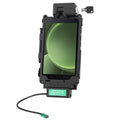 |
RAM Mounts Locking GDS Tough-Dock for Samsung Galaxy Tab Active5 & Active3RAM-GDS-DOCKL-SAM62CPU | 7.568,00 Kč+VATOut of stock | View |
 |
RAM Mounts GDS Modular USB-C Power Delivery Hardwire Charger 45 W, 10–30 V InRAM-GDS-CHARGE-V3C-3U | 3.695,00 Kč+VATIn stock |
No matching products.
Related guides
Still stuck?
Contact support
Send us your model and a short description of the problem. Our team will help you find a solution.
